Connect your ChatGPT Ads spend to app installs, purchases, subscriptions & web conversions
TL;DR Summary (click to expand)
Kochava is a supported measurement partner for ChatGPT Ads. App marketers can connect ChatGPT ad spend to installs, registrations, in-app purchases, free trial starts, and paid subscriptions, plus web conversions. Whether you already run ChatGPT Ads, are about to launch, or are an existing Kochava customer, setup takes only a few minutes. To explore ChatGPT’s impact beyond a last-touch attribution lens, integrate marketing mix modeling and incremental testing via AIM by Kochava.
Marketers can further introduce agentic AI workflows to their campaign management using StationOne by Kochava, an AI harness purpose-built for advertising. Quickly connect MCP connectors for your Kochava MMP data, ChatGPT Ads, and the rest of your media mix to your preferred AI model provider to activate agentic advertising workflows from a single conversation.
Conversational AI search is increasingly where people explore ideas, compare options, and decide what to do next: starting a free trial, making a purchase, choosing an investment app. Now it is a place where marketers can show up too. With ChatGPT Ads, app marketers have a new channel to reach people in the moments that matter. And with Kochava, you can measure ChatGPT Ads alongside every other channel in your media mix.
 The Rise of ChatGPT Ads
According to OpenAI, ChatGPT reaches 1.2 billion people each week. After testing ads early this year, OpenAI opened self-serve buying through Ads Manager and has been expanding to new markets.
The pace is not slowing. On October 5, OpenAI announced a new visual ad format, an expanded measurement partner ecosystem that includes Kochava, and brand suitability pilots with DoubleVerify and Integral Ad Science. OpenAI says it will keep evolving the platform with new formats and capabilities, making now a smart time to start testing with the right measurement in place out of the gate.
Where ChatGPT Ads Show Up
Ads are matched to the context and intent of conversations, along with the context hints you set at an ad group level. These hints guide matching but are not exact-match keywords. You can buy on Views, Clicks, or Conversions to optimize toward the outcomes you care about.
ChatGTP Ad Placements
- Ads below ChatGPT responses: Each ad includes an advertiser name, logo, headline, description, landing page, and image. Ads are clearly labeled and separate from ChatGPT’s answers.
- Visual ads during image generation: OpenAI is rolling out this new format, beginning in the U.S. These ads are also clearly labeled and kept separate from the image created.
More formats are on the way as OpenAI continues to build out the platform.
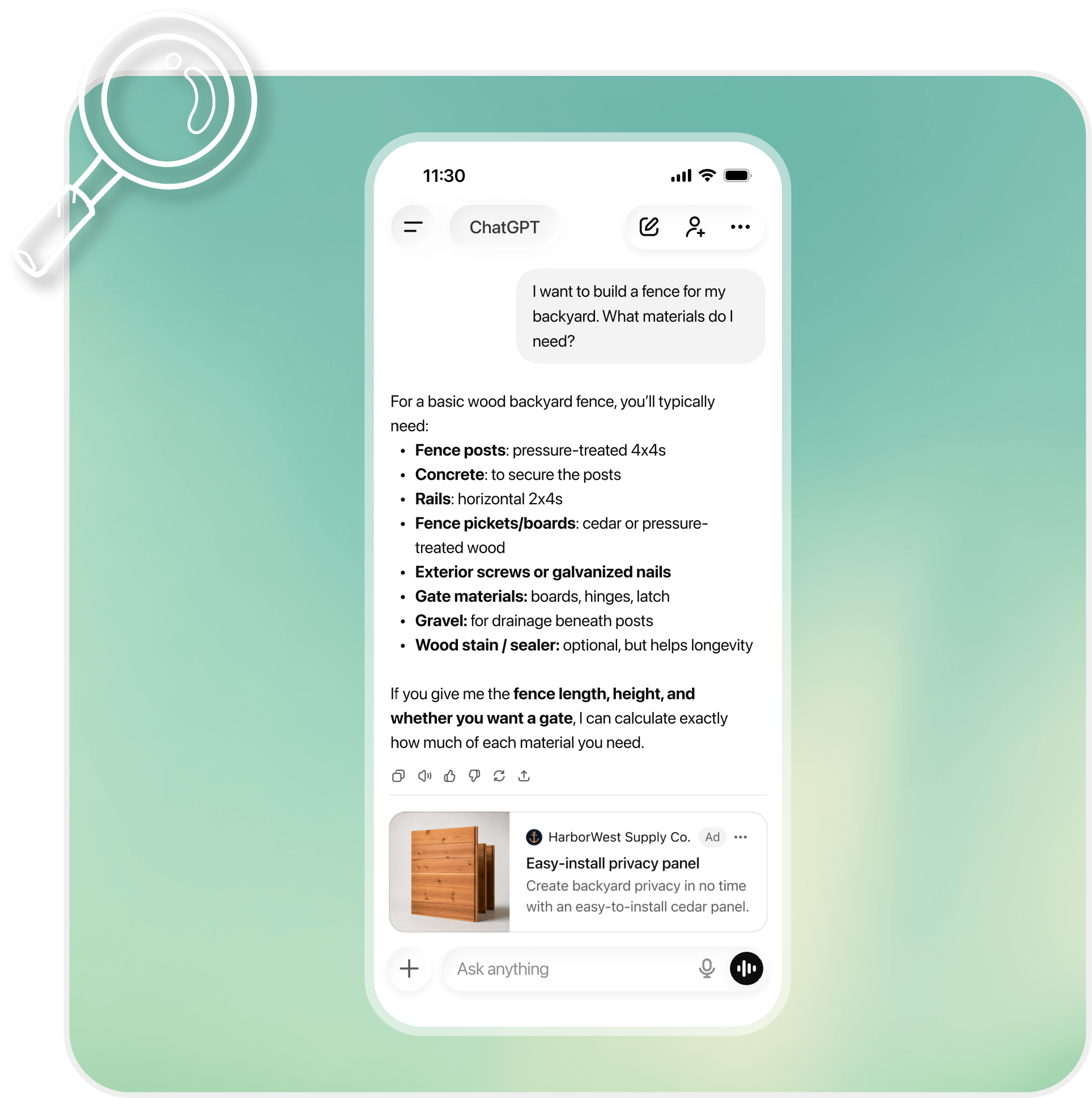
Showing Up in the User Journey
Your ChatGPT ads appear within the flow of a user’s conversation, enabling you to meet people at different points in their journey:
- Explore: Someone asks an open-ended question and starts looking at options.
- Compare: They narrow down choices and ask for recommendations.
- Imagine: They generate images for ideas, products, or experiences, where visual ads can show how an app or product fits into their life.
- Decide: They work out what to try or buy next, then tap through to install, sign up, or start a trial.
The user journey is real, but it doesn’t necessarily follow a straight line from impression to install. This is why measurement matters.
How Kochava Helps You Measure ChatGPT Ads
Kochava supports ChatGPT Ads across mobile and web with three dedicated media partner integrations: ChatGPT Ads – iOS, ChatGPT Ads – Android, and ChatGPT Ads – Web. You can connect ChatGPT ad spend to:
- App installs and registrations
- In-app purchases
- Free trial starts and paid subscriptions
- Web actions, using the Kochava Web SDK and conversion pixel tracking
Setup is straightforward and does not require custom engineering:
- Gather your credentials: Get your Pixel ID and generate a Conversions API key in OpenAI Ads Manager.
- Create a tracker: In Kochava Campaign Manager, create a campaign, segment, and tracker, and select the ChatGPT Ads partner for your platform.
- Add the click URL: Copy the tracker’s click URL into your ad destination in Ads Manager.
- Configure postbacks: Send attributed installs and post-install events back to OpenAI through the Conversions API. We recommend the All delivery method to support algorithmic optimization.
Consult this support documentation for detailed, step-by-step instructions.
Attributed conversions appear in the Conversions metric in ChatGPT Ads Manager and in your Kochava reporting next to every other network, giving you one source of truth across paid social, search, programmatic, CTV, and now ChatGPT.
Your path to ChatGPT Ads performance transparency with Kochava
- Already running ChatGPT Ads without a measurement partner? Integrate Kochava to bring transparent, deduplicated measurement to your ChatGPT campaigns and see how they perform alongside your other marketing efforts.
- Planning to launch? Start on the right track. Set up measurement before your first impression so you have trustworthy data from day one.
- Already a Kochava customer? This is a seamless add-on. Spin up a new tracker for the ChatGPT Ads integration and start running right away.
For help getting started, contact us.
Go Beyond Last-Touch Attribution With AIM by Kochava
Conversational AI often sparks early intent and discovery that last-touch models can overlook. Pair ChatGPT Ads attribution data with Always-On Incremental Measurement (AIM) by Kochava to bring ChatGPT spend into your marketing mix modeling, run incrementality tests, and use cost-curve modeling to find where to scale for the best incremental return.
Go Agentic With ChatGPT Ads and Kochava Attribution in StationOne
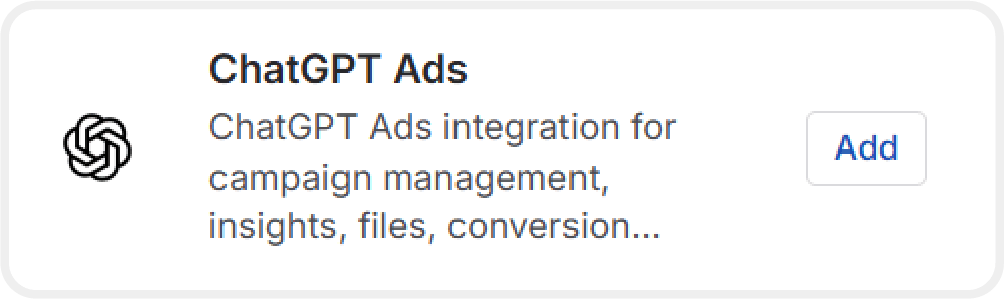
Measurement tells you what happened. Conversational AI helps you act on it. StationOne by Kochava is the integrative AI hub built for agentic advertising. It enables you to bring your Kochava attribution data and ChatGPT Ads workflows together using the AI model provider you already prefer, whether Anthropic, OpenAI, a local model, or your own custom model.
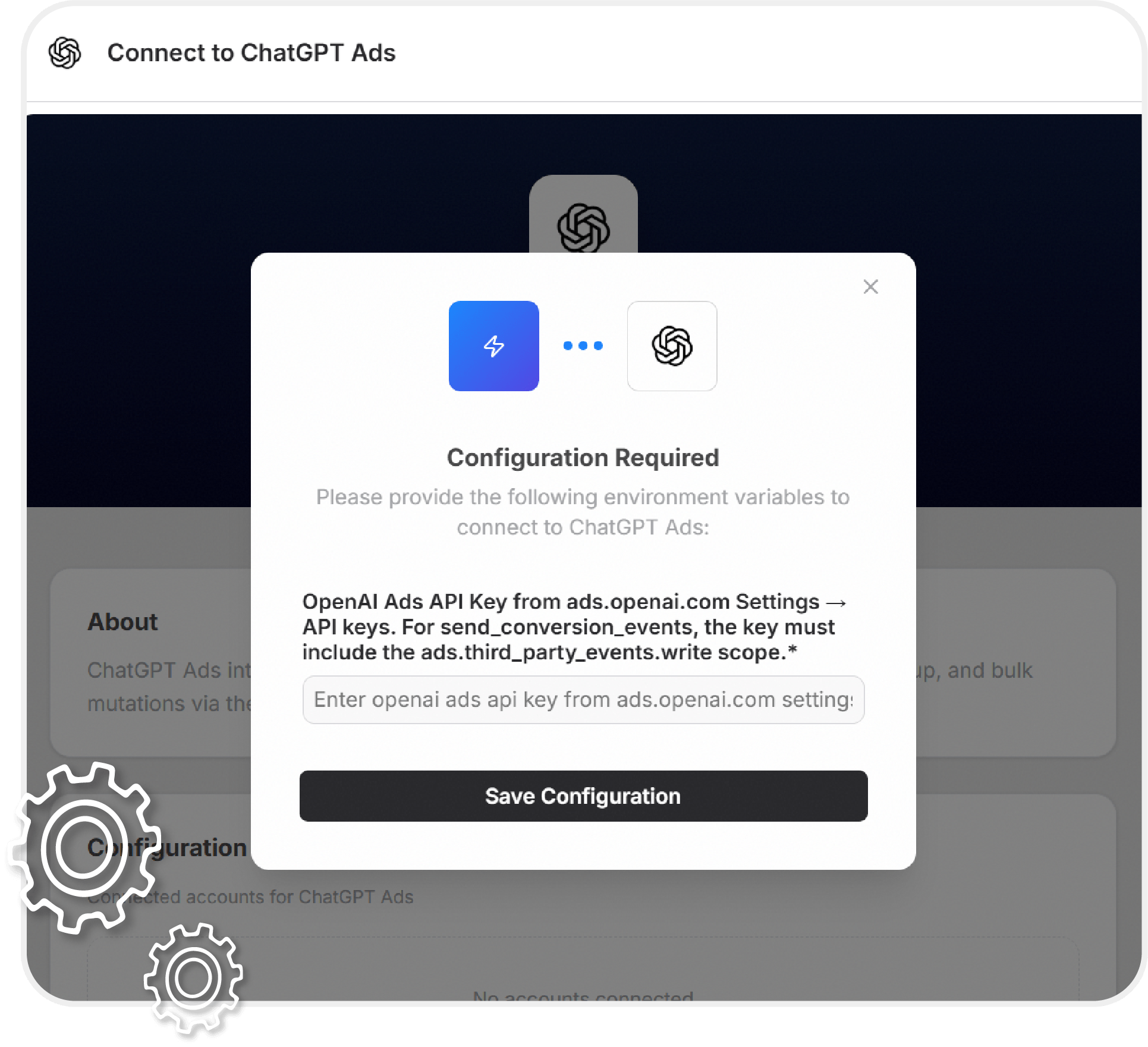
Here’s how it comes together:
- Kochava MMP MCP connector: Securely authenticate with your Kochava account and ask questions about your ChatGPT Ads campaign performance in plain language.
- ChatGPT Ads and your full media mix: StationOne supports Model Context Protocol (MCP), so you can connect ChatGPT Ads alongside connectors for the rest of your media mix including Meta, Google, TikTok, Snap, and Reddit. One conversation can span every channel you run.
- Your model, your choice: Connect the AI model provider your team already uses and keep your data in your own environment.
From there, the questions get practical. Try asking How do my ChatGPT Ads installs and 30-day retention compare to TikTok this month? or Which of my channels deserves more budget based on user LTV? With Kochava attribution data as the foundation, the answers are grounded in your own measurement data, not just platform-reported metrics.
Create your free StationOne account to get started.
Start Measuring ChatGPT Ads Today
If you’re not already measuring ChatGPT Ads, here’s where to start:
- Create your Ads Manager account: Sign up at ads.openai.com. New to the channel? Get up to speed on the fundamentals in OpenAI’s Ads in ChatGPT: The Basics.
- Set up measurement in Kochava: Once your account is created, follow our step-by-step guide to create a ChatGPT Ads campaign in Kochava and measure results against your events and conversion data.
- Go agentic with StationOne: Download StationOne, connect the Kochava MMP connector, ChatGPT Ads, and your other media mix partners, and start exploring agentic advertising with your preferred AI model provider.
Questions? Contact your Client Success Manager or email support@kochava.com. ChatGPT Ads are evolving quickly, so subscribe to our newsletter to stay up to date on the latest ChatGPT Ads and measurement updates.
ChatGPT Ads Measurement FAQ
Can I measure ChatGPT Ads for both apps and websites?
Yes. Kochava offers three dedicated integrations: ChatGPT Ads – iOS, ChatGPT Ads – Android, and ChatGPT Ads – Web. App marketers can connect ChatGPT ad spend to installs, registrations, in-app purchases, free trial starts, and paid subscriptions, while web actions can be measured with the Kochava Web SDK and conversion pixel.
What do I need to get started with ChatGPT Ads in Kochava?
You need your app or website integrated in Kochava, plus a Pixel ID and a Conversions API key from your OpenAI Ads Manager account. Both are found in the Conversions tab. OpenAI shows the Conversions API key only once, so copy it to a secure location when you generate it.
How does Kochava attribute ChatGPT Ads conversions?
Kochava uses click tracking URLs for attribution and sends attributed installs and post-install events back to OpenAI through server-side postbacks via the OpenAI Conversions API. You choose which events to send and whether to deliver all instances of an event or only those attributed to ChatGPT Ads.
I’m already a Kochava customer. How much work is it to add ChatGPT Ads?
It’s a seamless add-on. Create a campaign, segment, and tracker for the matching ChatGPT Ads partner, configure your postbacks, and add the tracker’s click URL to your ad in Ads Manager. For step-by-step instructions, see our ChatGPT Ads setup guide.
Can I measure ChatGPT Ads beyond last-touch?
Yes. Pair ChatGPT Ads attribution with Always-On Incremental Measurement (AIM) by Kochava to bring ChatGPT spend into your marketing mix modeling, run incrementality tests, and find where to scale for the best incremental return.